

MicroSD vs NVR Recording: When Edge Storage Makes Sense for CCTV
Essential Security Supplies
MicroSD vs NVR recording is a choice about retention, evidence handling and failure recovery. A microSD card stores footage inside an individual camera. A network video recorder, or NVR, receives camera streams and stores them centrally. For many NZ commercial installations, the most useful arrangement combines an NVR with tested local recording on selected cameras.
FERN360, TVT, Uniview and Dahua all deserve consideration within a model-specific CCTV design. However, a card slot does not establish recording schedules, card compatibility or automatic recovery to a recorder. This guide explains when edge storage makes sense, where it falls short, and what installers should demonstrate before handover.
MicroSD vs NVR recording: what changes in practice?
Edge storage places the recording medium at the camera. Depending on its capabilities and configuration, the camera may record continuously, respond to events or support an outage recovery workflow. Retrieval might use the camera interface, an application or a compatible management system. Establish the actual supported route before specifying it.
An NVR provides a central location for recordings from multiple cameras. This simplifies routine searching, operator access and evidence export when the chosen platform supports the required workflow. Its storage capacity, incoming bandwidth and playback capability still need sizing. A recorder with sufficient channels can nevertheless be unsuitable if the combined streams exceed its recording bandwidth.
| Design question | Camera microSD | NVR |
|---|---|---|
| Where is footage kept? | Inside each equipped camera | At a central recorder |
| How is retention planned? | Per camera, using supported card capacity and bitrate | Across channels, using usable disk capacity and stream totals |
| What happens if the camera is stolen? | The card can be lost with it | Previously received footage remains at the recorder if it is protected |
| What happens during a network interruption? | Local recording may continue if configured and powered | The affected stream may stop; supported backfill requires verification |
| What happens if camera power fails? | New recording stops | No new footage arrives from that camera |
When edge storage makes sense for CCTV
A remote camera with an unreliable uplink
A camera at a detached building, rural entrance or isolated commercial area may have a network path that occasionally drops. Local storage can preserve footage during that interruption if camera power remains available. The system must also provide a workable way to retrieve it. If recovery is manual, include that work in the operating procedure rather than describing the system as self-healing.
A small installation with limited retention needs
A single-camera application can sometimes use microSD as its primary destination. Check how frequently someone needs to review recordings, whether remote playback is supported, and how footage will be preserved after an incident. A card-only system becomes less convenient when operators need to search several cameras together or manage many separate storage devices.
Additional resilience for important camera positions
For an entrance or loading area, local recording can provide another recording path alongside the NVR where the camera supports the intended configuration. Decide whether this means a continuous second copy or a specific network-loss function. Neither protects against every failure. If the camera itself is damaged, both its live stream and local recording can disappear.
FERN360: confirm the card limit for the exact camera
The Essential Security Supplies listing for the FERN360 FGSIP-B2TFSA-28 turret camera specifies microSD support up to 512 GB. The FERN360 FGSIP-C5DMVA-2812 motorised dome camera listing specifies up to 128 GB. These catalogue examples show why a storage allowance should follow the exact model rather than a brand-wide assumption.
Check the supplied camera's current documentation and firmware before selecting media. Confirm local schedules, overwrite settings, playback access and supported recovery behaviour. The listed card capacity alone does not establish automatic NVR replenishment.

TVT: local storage and recorder integration are separate checks
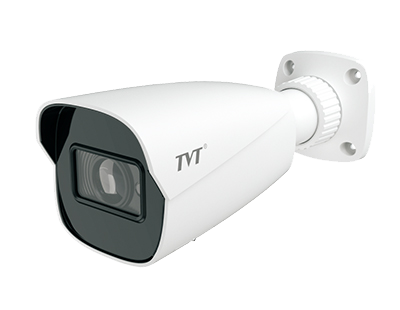
TVT's TD-9442A3BH-SD manufacturer specification lists a built-in microSD slot supporting up to 256 GB, microSD recording, and SD card error and full alarms. It is a documented example of local storage capability, rather than a claim that every TVT camera offers the same functions.
For a TVT project, confirm the exact supplied variant and intended receiving system. Check how the operator retrieves local footage and whether automatic backfill is supported by that camera and recorder combination. Treat the manufacturer's alarm functions as useful monitoring options that still require configuration and a recipient who acts on them.
Uniview and Dahua: verify automatic network replenishment
Uniview's NVR501-04B-P4-A specification expressly lists ANR technology for storage reliability during network disconnection. This establishes a recorder-side feature for that model, not compatibility with every camera or a guarantee for a different NVR variant.
Dahua's NVR quick-start guide describes ANR saving video to a camera SD card during network loss and sending outage recordings back when the connection recovers. This is a platform workflow reference; use the current manual for the selected Dahua recorder and camera to establish applicability and setup.
In either system, commissioning should prove that the outage interval appears in the intended playback timeline after reconnection. Check the installed card, recording schedule, protocol, firmware and available network capacity. A supported recovery feature still needs time to transfer recordings, particularly when several cameras reconnect together.

ONVIF compatibility does not guarantee card backfill
ONVIF Profile G covers recording, storage configuration and retrieval functions for conformant devices and clients. It is relevant when assessing an interoperable recording workflow. It does not justify assuming that a generic ONVIF connection automatically repairs gaps in an NVR timeline.
Separate three acceptance checks: receiving the live stream, retrieving stored recordings, and automatically importing missing footage. A system may pass one and fail another. This matters when mixing FERN360, TVT, Uniview and Dahua equipment. Ask for documented support for the exact combination and demonstrate the required function with the selected protocol and firmware.
Calculate card retention from bitrate, not resolution alone
For continuous video using decimal units, daily storage in GB is approximately bitrate in Mbps × 10.8. Nominal retention is card capacity in GB divided by daily storage. These calculations ignore audio, filesystem overhead and reserved space, so they are starting estimates rather than guaranteed retention.
| Constant video bitrate | Video per day | Nominal days on 256 GB |
|---|---|---|
| 2 Mbps | 21.6 GB | 11.9 days |
| 4 Mbps | 43.2 GB | 5.9 days |
| 8 Mbps | 86.4 GB | 3.0 days |
The 256 GB capacity is an illustrative calculation, not a supported size for every camera. Variable bitrate changes with scene activity, noise and encoding settings. Event recording also depends on trigger frequency and pre-record and post-record periods. Measure representative day and night operation instead of promising a fixed saving from H.265 or a smart codec.
For central storage planning, use the CCTV storage calculator guide for NZ installers. Eight cameras each recording at a constant 4 Mbps produce approximately 345.6 GB of video daily, or 10.37 TB over 30 days before overhead. Size the NVR separately from the local outage buffer.
Choose suitable cards and design the power path
Select surveillance or high-endurance media that meets the camera manufacturer's supported type, capacity, write performance and operating temperature requirements. A fast consumer card is not automatically suitable for repeated continuous video writing. Format it through the supported camera procedure and verify a real recording and export.
Map the camera's power source. Disconnecting an NVR that also supplies PoE can remove camera power, so a local card cannot bridge that outage. A separately powered PoE switch may keep cameras running during a recorder failure, provided its own supply remains available. Backup power should cover the equipment needed for the specific failure scenario and the agreed duration.
Assign responsibility for card health checks and replacements. Where available, configure fault alerts, verify their delivery and test overwrite behaviour. Card recording that silently stops when storage fills provides little resilience. Keep incident exports separately before normal overwrite removes the relevant interval.
A practical commissioning test before handover
- Record the camera, NVR and client models, firmware versions, connection protocol, card model and recording settings.
- Confirm local and central playback with a visible timed activity in the scene.
- Interrupt the agreed network path while maintaining camera power. Do not accidentally test a power outage instead.
- Restore the link and inspect local recordings, the NVR timeline and any recovery status. Measure how long backfill takes.
- Export an outage clip and play it independently. Check timestamps, duration and whether the required activity is visible.
- Test the separate power-loss scenario, fault alerts and overwrite policy. Document failures and retest after correction.
Set New Zealand time and daylight-saving behaviour consistently across the system. Agree retention, access permissions and export responsibilities with the client. Keep the test record with the as-built documentation, and repeat affected checks after firmware, storage or integration changes.
Frequently asked questions
Can a microSD card replace an NVR?
It can be the recording destination for a suitably supported camera where short retention and individual playback meet the brief. For multiple cameras, central evidence handling and longer retention, an NVR is usually the more practical foundation.
Will edge recording continue during a power cut?
Only while the camera remains powered. A card cannot keep a camera running after its PoE source fails. Size backup power for the camera and its actual power path, as well as the recorder where required.
Does ONVIF guarantee automatic recovery from a camera card?
No. Profile G covers recording and retrieval functions, but automatic timeline recovery depends on the camera, receiving system, firmware, protocol and configuration. Test the exact combination.
How much footage fits on a 256 GB card?
At a constant 4 Mbps, the nominal calculation is approximately 5.9 days of continuous video. Formatting, audio, overhead and variable bitrate can reduce this. Verify the selected camera supports that card capacity.
Can FERN360, TVT, Uniview and Dahua all use the same storage design?
Apply the same design questions to all four brands, but verify capabilities model by model. A microSD slot, local playback and automatic NVR backfill are separate functions and are not interchangeable promises.
Specify the right CCTV recording system
Start with the required evidence and retention period, then select the recording architecture. An NVR is a practical foundation for centrally managed commercial CCTV. MicroSD storage can add value at remote or important camera positions when its recording, retrieval and failure behaviour have been demonstrated.
Browse the Essential Security Supplies surveillance equipment range, then request specification assistance or a project quotation. Send the camera count, required retention, network layout, power arrangement and existing model details so the FERN360, TVT, Uniview or Dahua options can be checked against your project.


