

Multi-Site Access Control: How to Plan Users, Doors and Remote Management
Essential Security Supplies
A business operating several buildings needs access control that works as one coordinated system without giving every employee access to every location. Whether the project involves three offices, a national warehouse network or a group of managed properties, installers must plan users, doors, permissions and remote management together.
For New Zealand security integrators and electrical contractors, the challenge is balancing central administration with local independence. A central security team may need visibility across every location, while individual site managers should only be able to administer their own building. Meanwhile, authorised staff must still be able to enter during a network outage.
This guide explains how to structure a multi-site access control system, choose a suitable management architecture and prepare a practical specification before installation begins.
What Is Multi-Site Access Control?
Multi-site access control connects doors and users across two or more geographically separate locations through a coordinated management platform.
Instead of maintaining independent credential databases at each building, an organisation can administer permissions, access schedules and security events from a central location. Depending on the selected platform, local operators may also receive restricted administrative access to their own site.
Typical applications include:
- Companies operating offices in Auckland, Wellington and Christchurch.
- Distribution businesses with multiple warehouses and regional depots.
- Education and healthcare organisations with several buildings.
- Commercial property managers responsible for multiple tenancies.
- Industrial businesses with separate production, administration and storage facilities.
The objective is not simply to connect every door to the internet. It is to establish consistent security policies while retaining appropriate control at each location.
1. Start With a Site and Door Schedule
Before selecting controllers or software, record the requirements for every location. A site schedule establishes the overall system structure, while individual door schedules provide the detail needed for installation.
For each site, document:
- Building name, address and nominated local administrator.
- Total controlled doors, entry and exit readers, gates and lift interfaces.
- Staff numbers, user groups and expected future growth.
- Required access hours and public holiday arrangements.
- Existing locks, readers, controllers and cabling that may be reusable.
- Local network availability, internet connectivity and backup power.
- Integration requirements for CCTV, intrusion alarms and intercoms.
- Fire, emergency-egress and accessibility requirements.
Do not assume every door at a location requires identical hardware. The reception entrance, server room, warehouse roller door and emergency exit may each have different security and operational requirements.
For a closer look at individual openings, see our technical guide to how door access control works.
Example: Three-Site Planning Schedule
Consider a business with a head office, regional office and distribution warehouse.
| Location | Controlled doors | Primary requirements |
|---|---|---|
| Head office | 8 | Reception, staff entry, restricted offices and server room |
| Regional office | 4 | Staff entry, meeting rooms and after-hours access |
| Distribution warehouse | 6 | Staff entry, loading areas, administration and restricted storage |
This illustrative project contains 18 controlled doors, but the equipment requirement cannot be determined from that number alone. Entry and exit readers, additional input and output modules, integration points and available spare capacity all affect controller selection.
2. Build User Permissions Around Roles and Locations
One of the most important decisions in multi-site access control is how users are organised. Creating individual door permissions for hundreds of employees quickly becomes difficult to maintain.
Instead, define a manageable set of user groups based on operational responsibilities.
| User group | Site access | Typical permission |
|---|---|---|
| National management | All nominated sites | Approved entrances and management areas |
| Regional employees | Assigned regional office | Staff entrances during approved hours |
| Warehouse staff | Assigned warehouse | Staff entrance and authorised operational areas |
| IT personnel | Approved sites | Relevant server and communications rooms |
| Cleaning contractors | Assigned locations | Restricted areas during scheduled service hours |
These groups are examples rather than universal access policies. The organisation should approve which roles genuinely require access to each area.
Separate Access Permissions From Administrative Permissions
A person authorised to enter a building does not necessarily need permission to manage the access control system.
Define separate administrative roles for the national security administrator, regional site manager, installation contractor and read-only auditor.
National administrators may need to enrol users across all sites and investigate events throughout the organisation. Local administrators should generally be restricted to the users and doors they are responsible for. Service technicians should receive access appropriate to the maintenance task, with unused accounts disabled or removed.
Establish a Credential Lifecycle
Every multi-site installation needs a documented process for issuing, changing and revoking credentials. Specify who approves new staff, how lost cards or phones are handled, what happens when an employee transfers location and how quickly permissions must be removed when someone leaves.
Where the platform supports it, automated expiry can simplify temporary contractor access. Avoid permanent shared credentials that cannot be attributed to an individual.
For further guidance, read our comparison of card, mobile and biometric access credentials.
3. Choose Between Centralised, Local and Hybrid Management
A multi-site system can be centrally managed without relying on a remote server for every door-opening decision. The distinction between management and local controller operation is important.
Centralised Management
A central platform can coordinate users, permissions, schedules, event reporting and administration across multiple buildings. This is useful when employees regularly visit other offices or the organisation has a dedicated national security team.
Local Site Management
Local administrators may need to manage a smaller set of users and doors without access to other locations. The selected software must provide suitable permissions and site separation.
Hybrid Management
A hybrid approach combines central oversight with defined local administrative authority. It can provide consistent organisation-wide policies while allowing regional managers to handle routine access requests.
RBH Integra32 supports multiple-site management with individual databases and separation of site graphics and history. RBH also documents central and local administration options for Axiom multi-site applications. Confirm the exact software edition, licensing and integration requirements during specification.
Compare Multi-Site Management Models
Use the following comparison to agree on administrative ownership and IT responsibilities. An organisation can use central management while retaining local door decisions; the management model alone does not determine what happens during an outage.
| Management model | Who administers users and doors? | Offline considerations | Licensing and support questions |
|---|---|---|---|
| Centralised | A head-office team applies approved policies across sites. | Confirm that site controllers store the credentials and schedules they need when the central connection fails. | Check central-server licensing, remote client limits and multi-site add-ons. |
| Local | Each site manages its own users, schedules and incidents. | Local management may continue if its on-site server and network remain available; verify controller behaviour separately. | Check software and support costs for each separate installation. |
| Hybrid | A central team sets policy while authorised local managers handle day-to-day changes within their site. | Specify which tasks remain available locally and how events and permission changes synchronise after reconnection. | Confirm role-based licences, additional site licences and whether local clients are included. |
Choose a User Database and Credential-Issuing Process
Decide whether the platform should maintain one organisation-wide user record or separate site databases. A shared identity structure can simplify transfers and credential revocation across locations, while separate databases may suit sites with independent operational or privacy requirements. Check the selected platform's actual synchronisation and database capabilities rather than assuming all deployments work the same way.
Standardise card numbering, credential formats, enrolment equipment and badge-issuing procedures across participating sites. Record which team can issue replacements and how lost credentials are revoked everywhere they were valid.
Explore the RBH Integra32 software range and RBH Axiom software range.
4. Select Controllers for Local Operation and Future Growth
Controller selection should consider more than the number of doors installed on day one. Specify the required local credential capacity, event storage, available inputs and outputs, supported reader protocols, networking and future expansion.
For example, the RBH UNC100 is a two-door network controller available within compatible Integra32 and Axiom configurations. The UNC100 series provides native TCP/IP connectivity, an onboard battery backup charger and an RS485 interface. Selected variants support PoE.
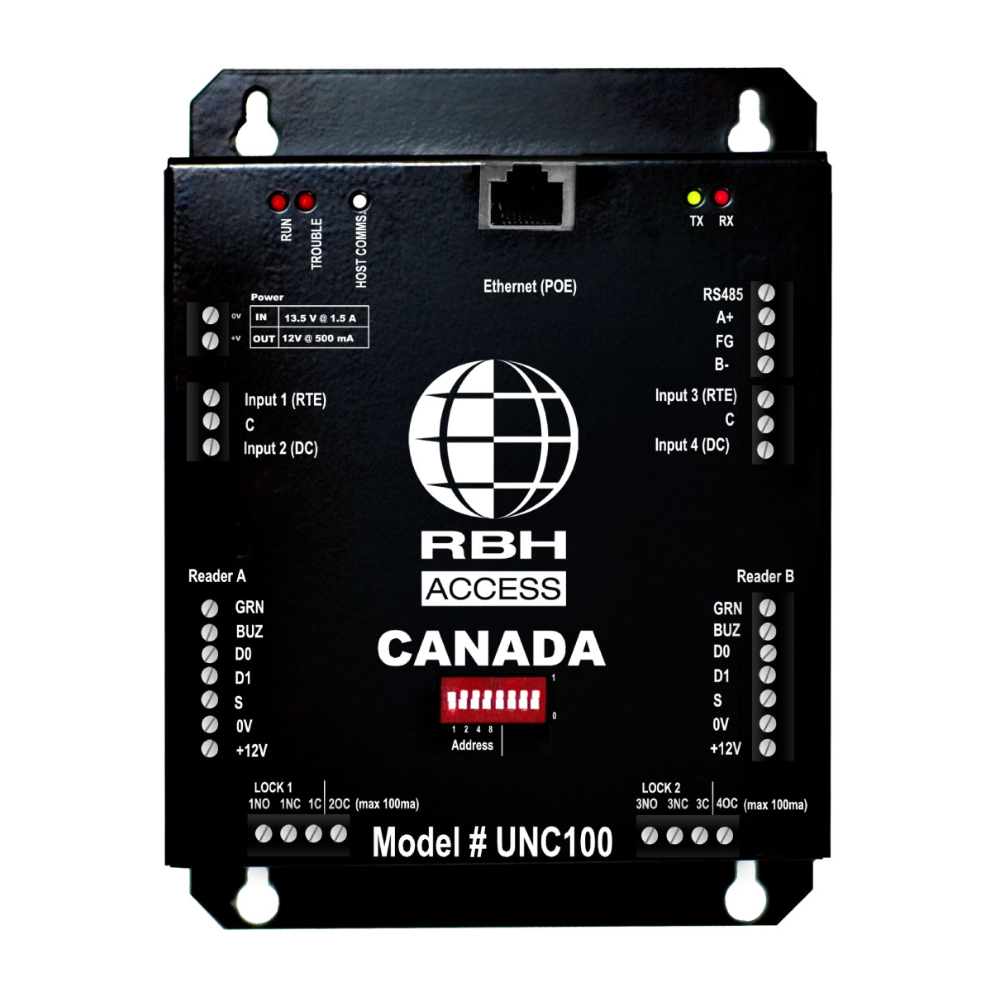
See the RBH Integra UNC100 controller or browse the access control door controller range.
Specify What Happens When the Network Fails
For every site, establish the required behaviour during a local network outage, internet failure, server outage and power failure. Depending on controller capabilities and configuration, locally stored permissions and schedules may allow normal credential decisions to continue without communication with the management server.
However, remote unlocking, credential updates, event synchronisation and live alarm monitoring may be interrupted. Confirm local event-buffer capacity and the behaviour when storage becomes full.
Commissioning should include testing that existing authorised users can enter as specified, revoked credentials behave according to the agreed outage policy, and buffered events synchronise after connectivity returns.
5. Plan Reader and Credential Compatibility Across Sites
Standardising credentials can reduce administration and make it easier for authorised employees to visit different locations. The specification should define the credential technology, reader interface, card numbering policy and compatibility with existing installations.
Where appropriate, consider modern encrypted smart cards and secure reader communications. Avoid assuming that every reader supports every card, mobile credential or controller interface.

For a practical reader example, review the RBH NK86 DESFire keypad reader. Confirm that the ordered variant supports the required credential types and the controller interface before standardising equipment across sites.
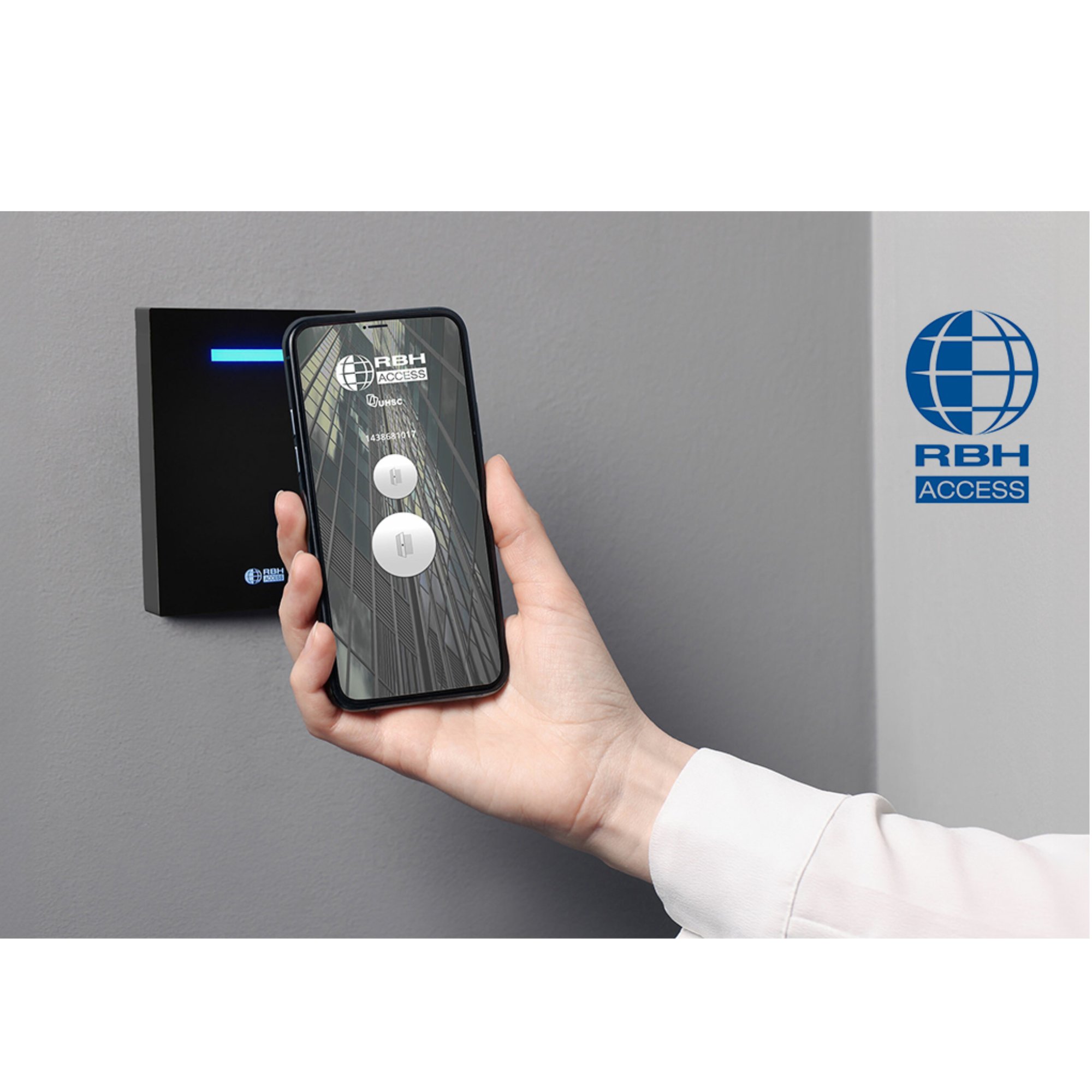
For projects considering mobile credentials, evaluate smartphone support, enrolment, replacement devices and the process for revoking access from a lost phone. The selected reader and management software must both support the proposed credential method.
Browse the access control reader range for available configurations.
6. Secure Remote Management
Remote management is one of the operational benefits of a multi-site system, but it must be designed as a controlled administrative service rather than exposing door controllers directly to the internet.
The project specification should include:
- Named administrator accounts rather than shared logins.
- Multi-factor authentication wherever supported by the management platform or remote-access service.
- Role-based restrictions for each site and administrative function.
- Approved remote-access methods, such as a securely configured VPN or the vendor's supported remote-management service.
- Network segmentation between access control equipment and general office devices.
- Documented firewall rules and secure communications between sites.
- Software updates, firmware maintenance and vulnerability management.
- Administrative activity logging and a process for reviewing unusual activity.
- Defined responsibility for backups, recovery and account ownership.
Determine whether the client requires cloud-hosted software, an on-premise central server or another supported architecture. Internet availability, data governance, recurring licensing, IT support and local operating requirements should inform that decision.
Remote management should also be tested after installation. Confirm that local administrators cannot view or modify another site's users or doors unless explicitly authorised.
Network and IT Prerequisites
Agree on the networking design with the client's IT team before controllers are installed. Document reserved IP addresses or DHCP reservations, VLANs, DNS and time synchronisation, supported inter-site links and the approved remote-access method. Ensure each site's controller and management server can reach only the services required by the selected platform.
List the required firewall ports and communication direction from the manufacturer's current documentation. Determine who owns VPN certificates or other remote-access credentials, how software and firmware updates are approved and how backup configuration is restored after a server failure. Test loss and restoration of the WAN link at a representative site; record which door events are buffered and how enrolments and revocations are reconciled when service returns.
7. Coordinate Door Monitoring, Alarms and Emergency Egress
Central management provides limited value if the security team only receives an access-granted event and cannot determine whether a door was actually opened or secured again.
For appropriate doors, specify door-position contacts, request-to-exit devices, forced-door alarms and door-held-open timers. Define which events require local notification, central monitoring or an escalation to the client's security provider.
Where a multi-site system integrates with CCTV, intrusion alarms, intercoms or building automation, verify the supported interfaces and software versions before finalising the design. Not all functions are available across every platform or licence.
Emergency-egress requirements must be addressed at each building. A centrally issued unlock command must not be treated as a substitute for a compliant means of escape. Confirm lock behaviour, emergency-release provisions, fire-alarm interfaces and accessibility with the relevant designers and approved building documentation.
Read our guide to door contacts, request-to-exit devices and forced-door monitoring for further technical detail.
8. Plan Privacy, Audit Logs and Data Retention
Multi-site access control systems create records that may identify when individuals entered a workplace and which areas they visited. The organisation must establish a legitimate purpose for collecting this information and restrict access to people who need it for their responsibilities.
Agree on an event-retention policy, secure storage, authorised reporting, backup procedures and processes for deleting information that is no longer required. New Zealand's Privacy Act 2020 includes the principle that personal information must not be kept for longer than necessary for its lawful purpose.
If biometric readers are proposed, assess the additional requirements of the Biometric Processing Privacy Code 2025. This includes considering necessity, proportionality, privacy safeguards and what affected people must be told. The code has applied to new biometric processing since 3 November 2025, and to processing that began on or before that date since 3 August 2026.
9. Multi-Site Access Control Installation Checklist
Before equipment is ordered or installation begins, confirm the following.
- Sites: Every location, responsible manager and future expansion requirement is recorded.
- Doors: Each controlled opening has an approved door schedule, including locking, monitoring and egress requirements.
- Users: Staff, contractors and visitors have defined access groups and permission-approval procedures.
- Credentials: Card, PIN, mobile and any biometric requirements are documented and technically compatible.
- Administration: Central and local management responsibilities are agreed, with suitable restrictions.
- Controllers: Door and reader capacity, local storage, communication paths and expansion capacity are confirmed.
- Networks: Secure connectivity, remote access, IP addressing and network-failure behaviour are specified.
- Power: Controller, reader and lock loads, standby power and power-loss behaviour are calculated.
- Integrations: CCTV, alarms, lifts, intercoms and emergency interfaces are documented and tested.
- Handover: Drawings, user administration, administrator credentials, backup procedures, maintenance and recovery instructions are delivered to the client.
For phased projects, document which sites will be commissioned first and how credentials and permissions will be migrated when additional locations are connected. This reduces the risk of creating inconsistent access groups during expansion.
Frequently Asked Questions
Can One Access Card Work at Several Buildings?
Yes, provided the readers, controllers, software and credential format are compatible and the user has been granted permission at each relevant site. A shared credential does not need to provide the same access everywhere.
Will Doors Continue to Work If the Internet Goes Down?
Many commercial controllers can continue using locally stored credentials and schedules, but this depends on the hardware and configuration. Remote administration and event reporting may be interrupted. Required offline behaviour should be specified and tested.
Should Every Building Have Its Own Administrator?
Not necessarily. Some organisations prefer a fully centralised security team. Others need local managers to issue credentials or review events. The selected platform should support the required division of responsibilities.
Can an Existing Single-Site System Be Expanded?
Possibly. Confirm the existing software edition, controller compatibility, available capacity, firmware, credentials and licensing. In some cases, an upgrade or migration may be required before additional sites can be centrally managed.
Planning a Multi-Site Access Control Project?
The equipment specification should follow the operational requirements, not the other way around. A clear site schedule, role-based permission model and tested network-failure plan make the system easier to administer and maintain as the organisation expands.
Essential Security Supplies supplies RBH access control hardware, software, readers and related door equipment for New Zealand security installers and integrators.
Explore our access control equipment or contact Essential Security Supplies to discuss the equipment requirements for your next multi-site project.
Technical References
- RBH Access Technologies: Integra32 security management software
- RBH Access Technologies: Central and local management of multiple sites
- RBH Access Technologies: UNC100 network controller
- MBIE: New Zealand Building Code C4, movement to a place of safety
- Office of the Privacy Commissioner: Retention of personal information
- Office of the Privacy Commissioner: Biometric Processing Privacy Code 2025
Subscribe to Media Posts
Recent Articles


